
Road distance
Exact addresses and real distance (km or miles) from Google Maps, saved with the order for pricing and routing.
Courier and delivery management software
Relais 360 brings together live dispatch, your drivers' app, your clients' portal, invoicing and GPS tracking. In English and French, for Canada and the United States, designed in Québec.
Pay online and start right away: your access arrives by email within a minute.
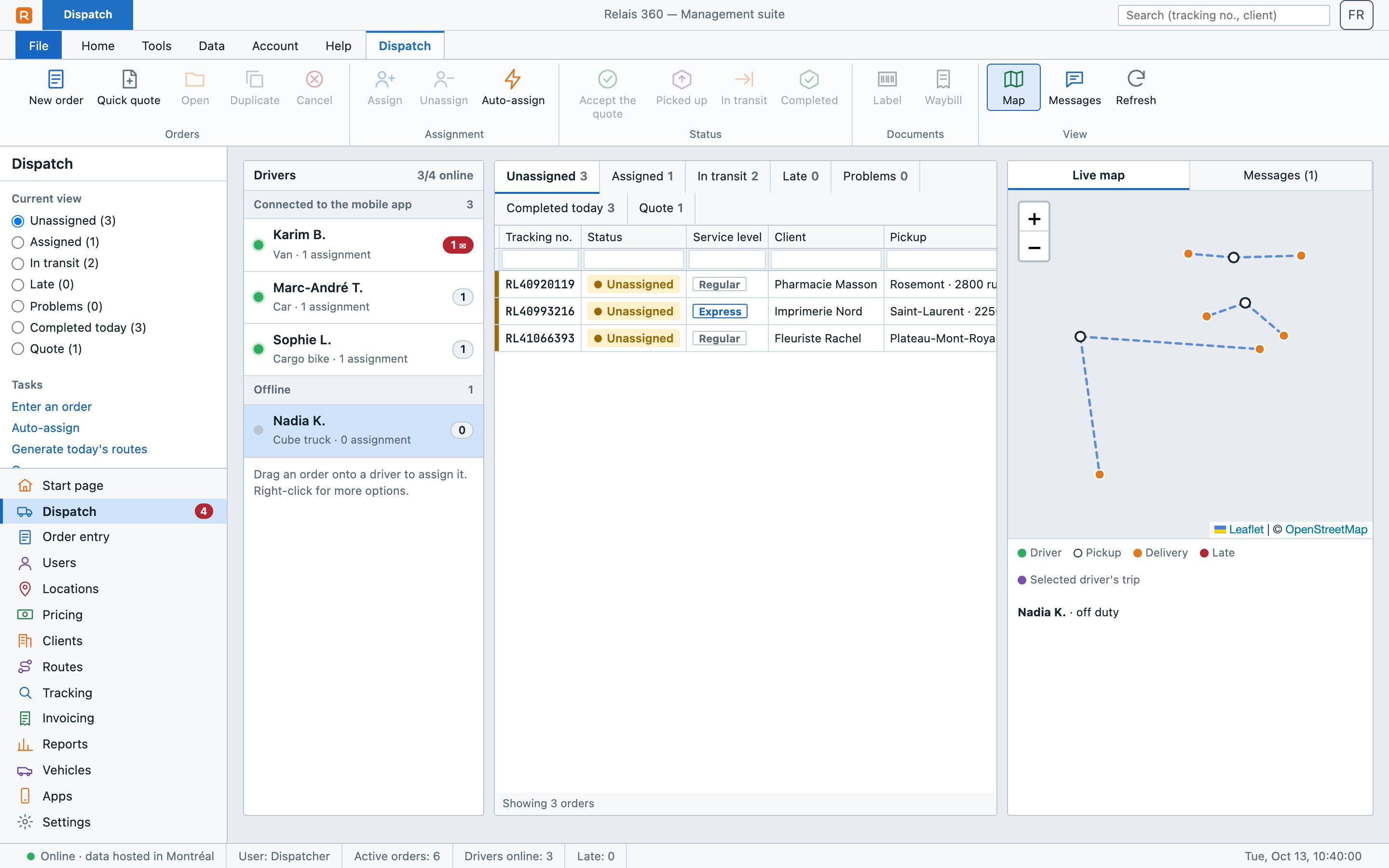
Short videos
Dispatch, your drivers' app, client tracking and invoicing: the real screens, with sample data. Tap a video to turn the sound on.
How it works
Your Relais 360 workspace is created automatically as soon as you pay. The welcome email arrives within a minute with the link to choose your password: you can enter your first orders today.
Features
Every order goes through the same steps, from quote to proof of delivery. Relais 360 tracks them all, and your whole team sees the same thing at the same time.
Unassigned, in transit, late or problem orders, each in its own queue. Drag an order onto a driver to assign it, or let auto-assign pick the closest available driver.
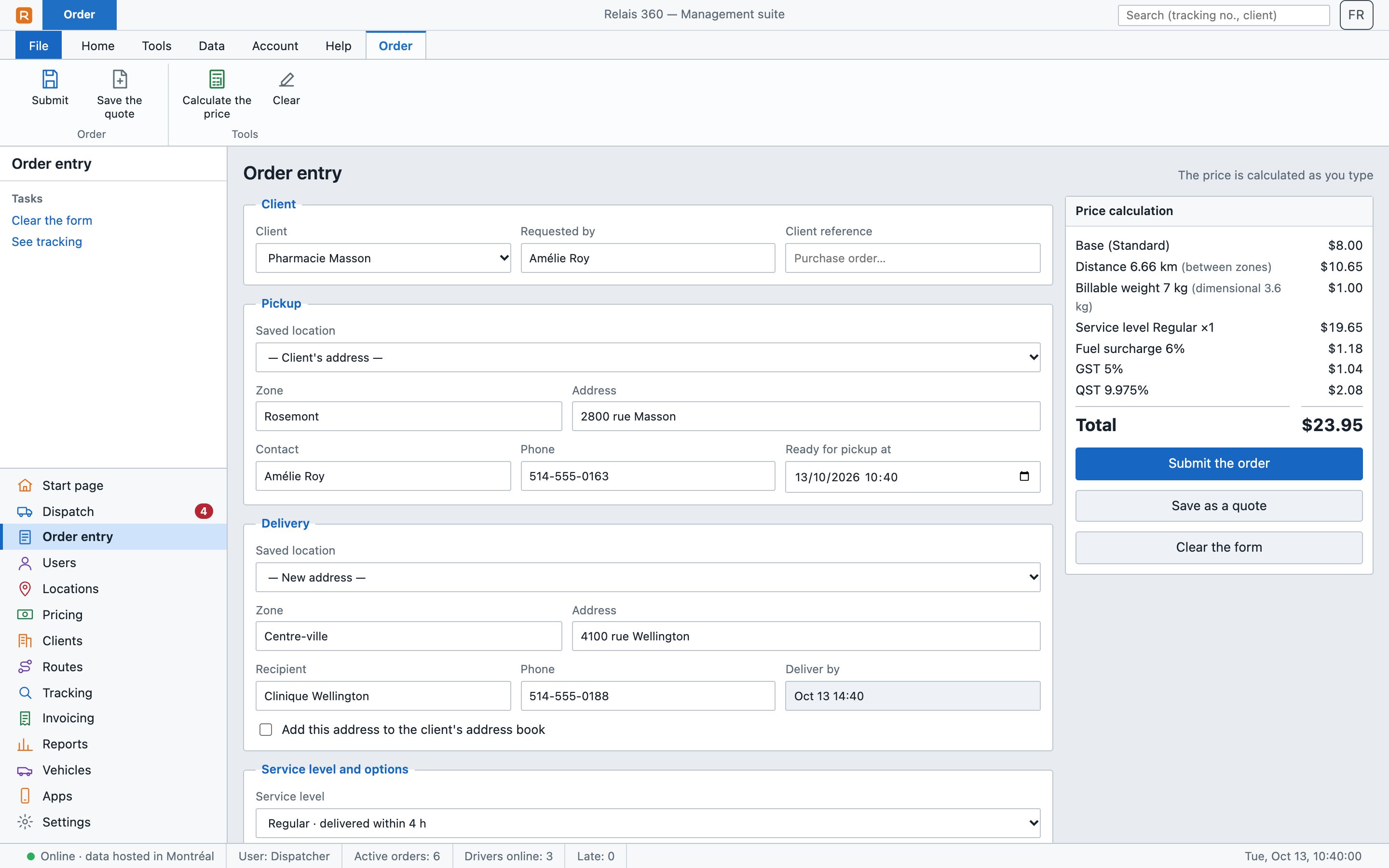
The price is calculated as you type: road distance between the exact addresses, actual or dimensional weight, service level, options and fuel surcharge, then sales tax.
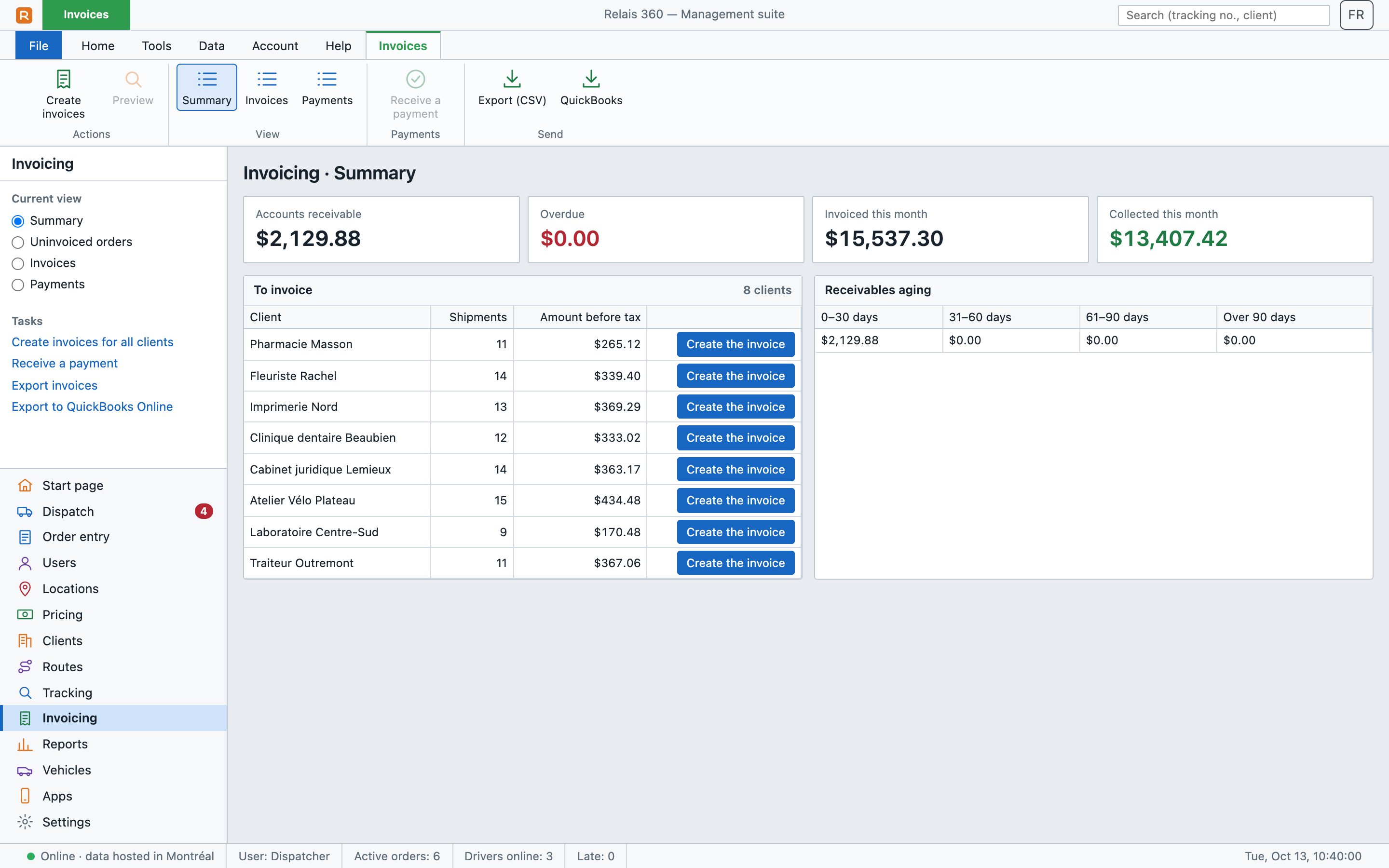
Delivered shipments become invoices in one click, per client. Track payments, receivables and their age, then send everything to QuickBooks Online.
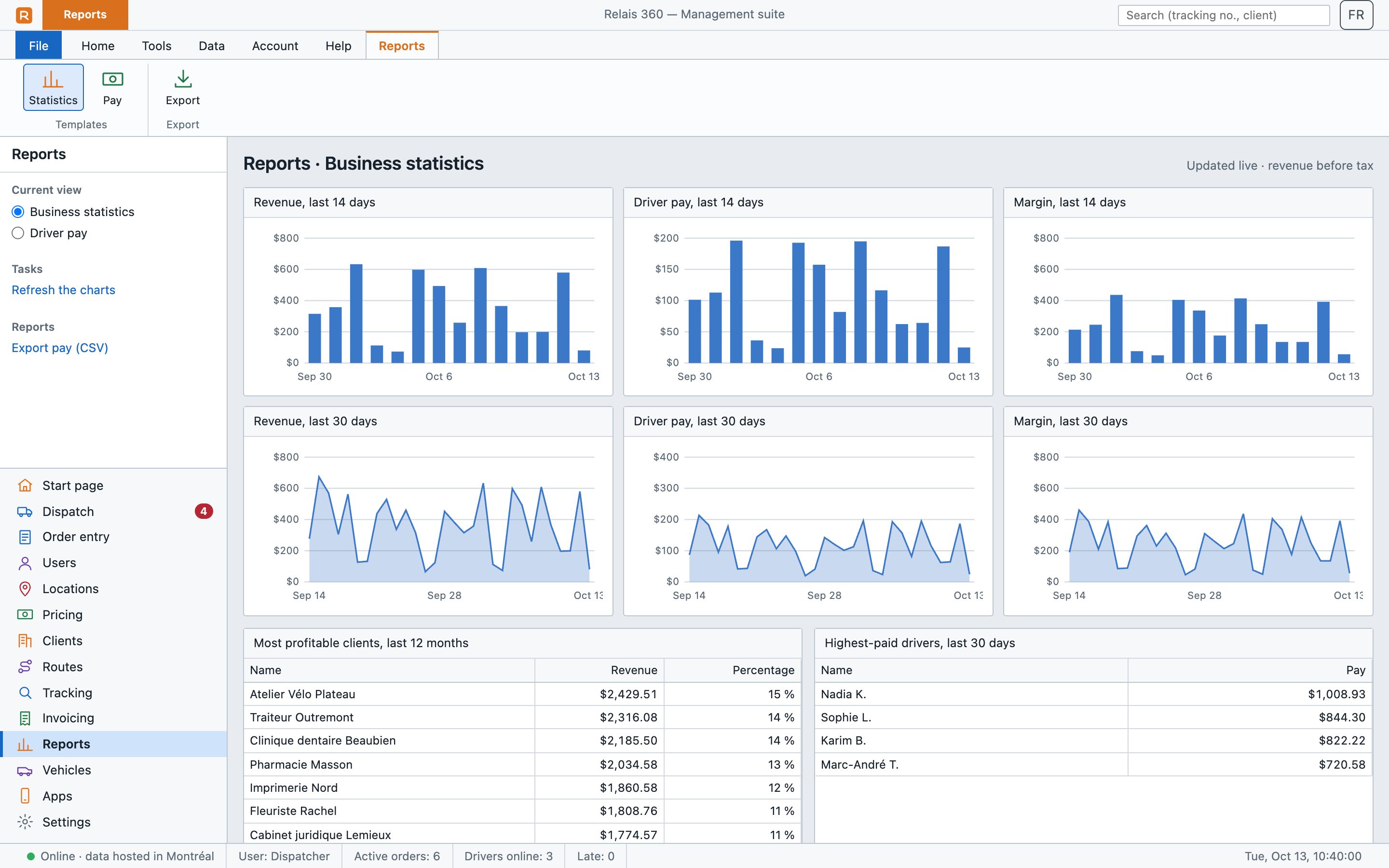
Revenue, driver pay and margin, day by day. See your best clients and each driver's pay without a spreadsheet.
Exact addresses and real distance (km or miles) from Google Maps, saved with the order for pricing and routing.
Name of the person who receives it, on-screen signature and photos of the package, visible to dispatch and the client.
Your client gets an email at pickup and at delivery, with the tracking link.
One label per box and a waybill, ready to print. The driver scans the barcode with their phone.
Closed, nobody home, address not found: the driver reports it and dispatch sees it right away.
One account per person, with a role: administrator, driver or client. Everyone only sees what concerns them.
Apps
The dispatcher, the driver and the client work on the same orders, each with the screen they need.
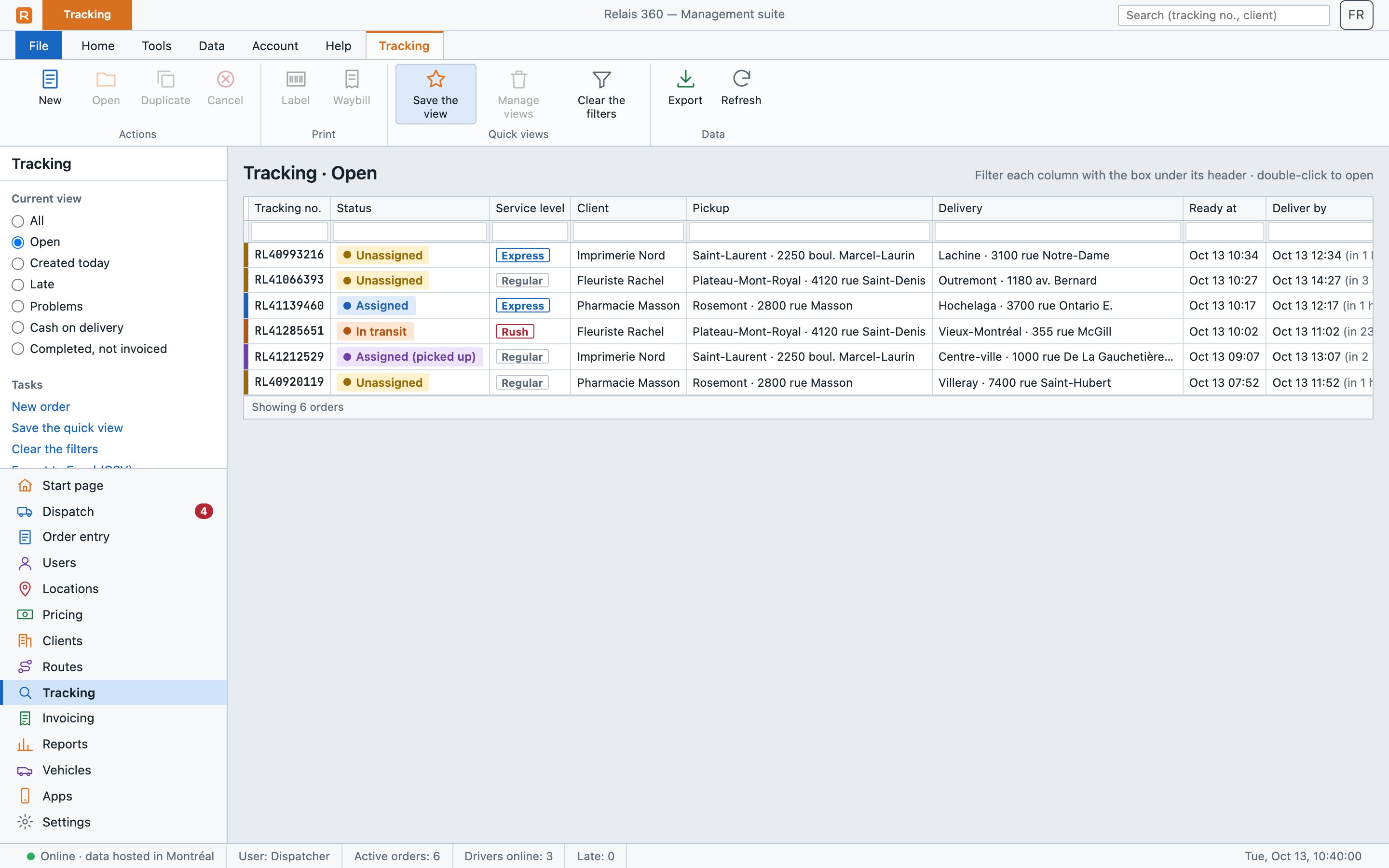
For dispatchers and managers, on a computer: dispatch, orders, clients, drivers, pricing, invoicing and reports.
Open the management suite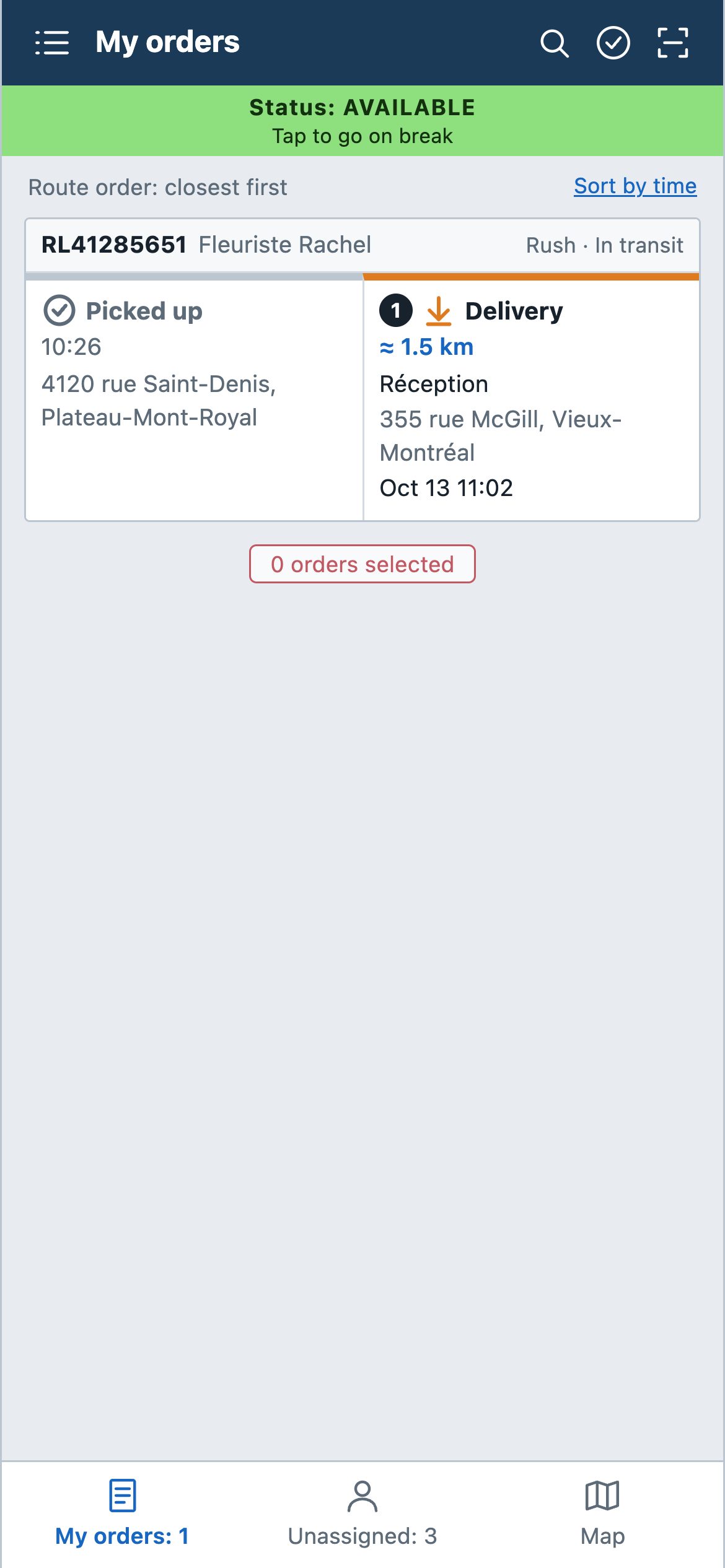
Their orders in route order, directions in Google Maps, signature and photos, messages. It keeps working without a signal and sends everything once it's back. On Android Auto, messages are read aloud.
Install the driver app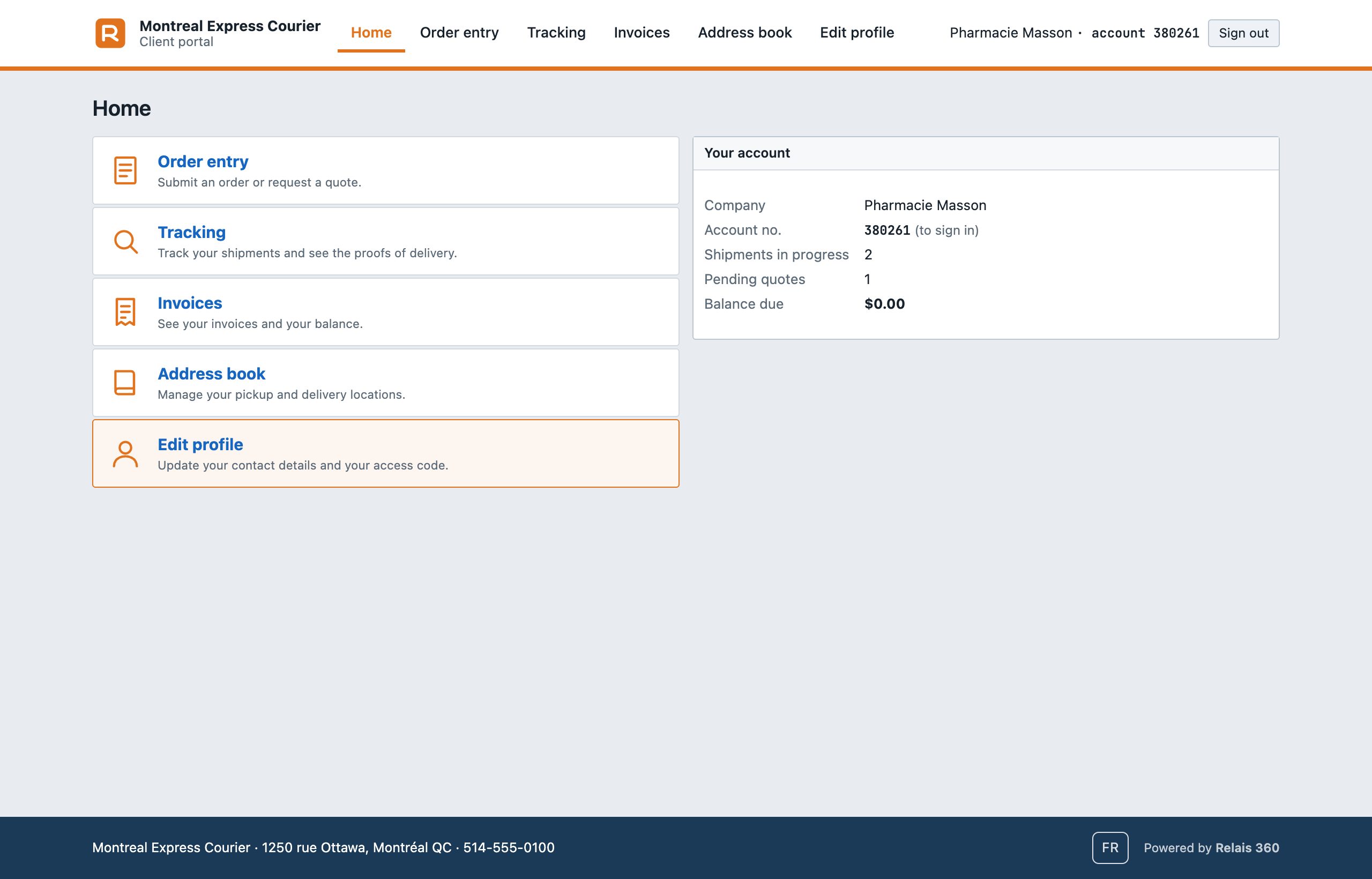
Your clients place orders, request quotes, track their shipments and see their invoices, with your logo and colours. Tracking a shipment by its number doesn't require an account.
Open the client portalRelais Mobile installs right away from its address, on any phone: livreur.relais360.com
In the app stores
App Store: waiting for Apple's approval.
Google Play: waiting for Google's approval. In the meantime, on Android, install the app from livreur.relais360.com (above). To be among the first testers, join the testers group now ("Join group" button, with your Google account): as soon as Google approves the app, the link to install it from Google Play will be sent there.
All three apps require an account: yours is created as soon as you subscribe, and you then create your drivers' and clients' accounts.
Getting started
Pricing
Every feature is included in both plans. Pay online by card and start right away: your workspace is created automatically and your access arrives by email within a minute.
Up to 150 shipments a month
$50/ month
final price, no sales tax · CAD · upgrade to Pro in one click
Instant access after payment
More than 150 shipments a month
$175/ month
final price, no sales tax · unlimited shipments
Instant access after payment
One shipment = one new order entered during the month (quotes don't count). With Essential, beyond 150 shipments, new orders wait until the 1st of the next month, or upgrade to Pro in one click. Prices in Canadian dollars.
FAQ
No wait: your workspace is created automatically as soon as you pay. The "Welcome to Relais 360" email arrives within a minute with the link to choose your password, the addresses of your three apps and the illustrated guide.
A banner warns you from 120 shipments in the month. At 150, new orders are paused until the 1st of the next month; orders already entered continue normally. The "Upgrade to Pro" button in the management suite unlocks everything as soon as you pay.
Yes. Drivers install it on their phone, iPhone or Android. It also works in a phone's web browser without installing anything, but background GPS tracking requires the installed app.
Yes. Everyone picks their language, English or French: the management suite, the driver app, the client portal and the tracking emails.
Your clients see your name, your logo and your colour in the portal and in the tracking emails. A small "Powered by Relais 360" note stays at the bottom of the page.
In Google Cloud (Firebase), in Montréal. Each company has its own space. Access is by account, with a role: administrator, driver or client.
The app keeps working: the driver keeps their orders and can move them forward. Everything is sent as soon as the signal is back.
Yes. Relais 360 prepares your clients, invoices and payments in files to import into QuickBooks Online.
By credit card, every month, on Stripe's secure payment page. Your access opens with the first payment. The Essential plan covers up to 150 shipments a month; beyond that, the Pro plan has no shipment limit. A cancelled or unpaid subscription pauses access; it reopens with the next payment.
Yes: for each service level (Same day, Standard), a base price, a price per kilometre or mile, an included weight and a price per extra pound; then your options and the fuel surcharge. Weight and dimensions in pounds and inches, or kilos and centimetres. An administrator can also change an order's price by hand.
Demo
Leave us your details: we'll write to you to schedule an online demo at a time that suits you.